


Wan 3.0 prompts become much more useful when you stop treating them as requests for a brand-new clip. They can also act as edit briefs: keep the approved performance, change one production layer, and state exactly how the revised shot should end.
This guide gives you nine original templates for that workflow. They cover realistic environment edits, controlled replacements, and complete short-form packages. None of them guarantees a pixel-identical result. Identity, lip sync, product shape, timing, and typography still need a human review.
Only upload footage, voices, likenesses, logos, and reference assets you have permission to edit.
The six-block structure behind every editing prompt
Before choosing a style, write these six blocks:
Source roles → protected elements → requested change → timed action → visual and audio rules → acceptance check
1. Name every input by job
Do not ask the model to guess why an asset is present.
Video 1: performance, timing, camera, and source audio.Image 1: target room, palette, and practical lights.Image 2: character or product identity reference.Audio 1: rhythm only; do not reproduce its voice.
If an asset does not have one clear job, remove it. The reference-to-video guide covers manifests and conflicting references in more detail.
2. Define the protection boundary
List only what matters to the edit: face, wardrobe, hands, product label, camera position, dialogue timing, or room geometry. “Keep everything exactly unchanged” is not a usable review standard. “Keep the same speaker, framing, shirt, microphone, gestures, and source-audio timing” is.
3. Request one primary transformation
Replace a room, move the light from noon to dusk, add rain, or swap one prop. Combining all four in the first pass makes failure hard to diagnose.
4. Give the change a beginning, middle, and settled end
Time ranges are especially useful when the effect must begin after a spoken phrase or musical beat.
5. Separate image, motion, and sound decisions
A visual edit does not automatically imply new audio. State whether to preserve the original track, add environmental effects, generate music, or remain silent.
6. Finish with a short acceptance list
Name what you will actually inspect: face stability, lip sync, hand count, label shape, effect direction, background flicker, final hold, and unwanted text.
Group A: preserve the performance, rebuild the world
These prompts begin with an existing clip. The person and timing are the anchor; the environment is the variable.
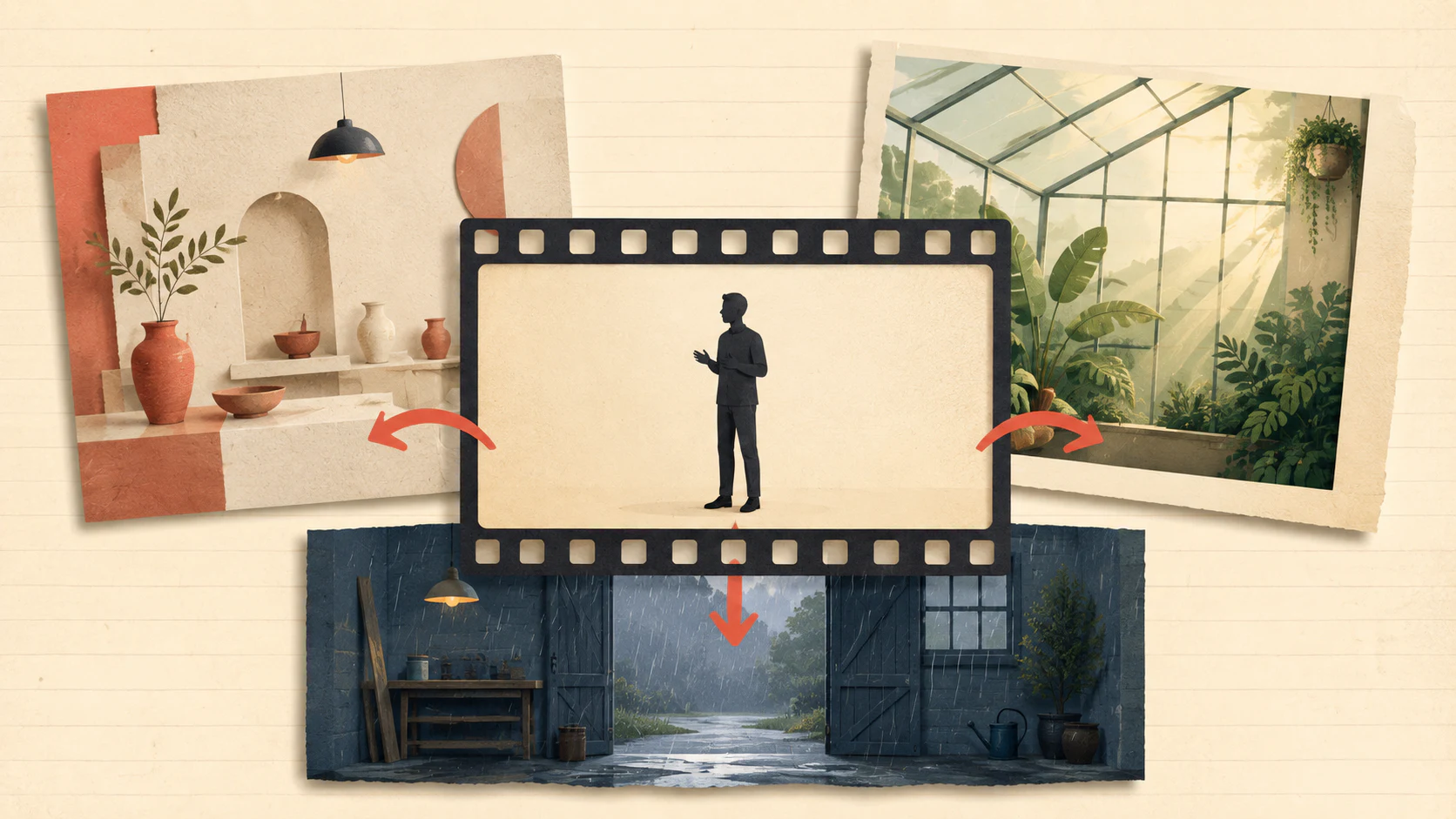
Workflow 1 — Move a presenter into a new set
Use when: the performance works, but the room does not.
Inputs: a locked-off presenter clip and one target-set image.
Template:
Use Video 1 as the source for the presenter, framing, gestures, speech timing, and audio. Use Image 1 only for the new ceramic workshop: limewashed walls, timber shelves, a large north-facing window, and warm practical lamps. Replace the room around the presenter while keeping the same person, clothing, tabletop microphone, camera height, and full performance. Let the new key light come from frame left and create physically consistent shadows on the face, clothing, table, and background. No camera move, new props in front of the presenter, subtitles, logos, or extra people. End with the rebuilt room stable for the final second. Review face identity, lip sync, hand edges, microphone shape, contact shadows, and background flicker.
Why it is written this way: the video owns the performance; the image owns the production design. The lighting instruction joins the two instead of pasting a new background behind the subject.
Workflow 2 — Change time of day and season in one shot
Use when: the composition should remain fixed while the atmosphere evolves.
Inputs: one stable interior or exterior shot.
Template:
Preserve Video 1’s people, furniture, framing, source motion, and audio. Over eight seconds, change only the world outside the greenhouse and the light entering it. 0–2s: cool spring morning with soft condensation. 2–5s: warm late-afternoon sun travels across the floor and creates a narrow rim light on the subject. 5–7s: leaves outside turn copper as the sky moves toward blue hour. 7–8s: practical lamps become the dominant warm source and the scene settles. Keep plant and window geometry stable. No sudden exposure jumps, time-lapse movement on the person, indoor falling leaves, camera motion, or new music.
Review: look for a continuous light path, consistent shadow direction, stable facial exposure, and a clean final state.
Workflow 3 — Add a weather effect that interacts with the set
Use when: you need an effect layer that feels photographed rather than placed over the frame.
Inputs: the source clip and, when identity is critical, an approved character reference.
Template:
Treat Video 1 as the timing and performance source. Keep the workshop, presenter, bench, wardrobe, and camera fixed. 0–1.5s: the room remains dry and unchanged. 1.5–4s: a dusty wind enters through the open doorway from frame right; loose paper corners and apron ties respond with restrained weight. 4–7s: fine rain begins outside, then a small amount crosses the doorway and darkens only the floor nearest the entrance. Preserve the face, hairline, speech, hands, and microphone. Rain direction, cloth motion, splashes, reflections, and shadows must agree. No full-frame rain texture, indoor storm, lightning, lens droplets, camera shake, or regenerated dialogue.
Review: confirm the effect has one physical source, does not cover the face, and changes surfaces only where contact makes sense.
Workflow 4 — Turn live footage into a mixed-media cutout
Use when: the performance should remain photographic but the surrounding world can become graphic.
Inputs: a short presenter or product-demonstration clip.
Template:
Keep the moving person from Video 1 as a photographic cutout with the original face, speech, gestures, wardrobe, and internal texture. Replace everything outside the silhouette with a handmade travel-journal collage: recycled cream paper, faded blue map fragments, graphite route marks, postage shapes without readable text, translucent tape, and shallow paper shadows. Add a narrow torn-paper backing that follows the moving silhouette without covering the face or hands. Use only three background motions: a map unfolds, one taped photo rotates into place, and a dotted route draws across the page. Preserve the original audio. Fixed camera; no skin illustration, extra limbs, floating typography, or 3D plastic materials.
Review: inspect hair and hand edges frame by frame. The subject should remain photographic while the collage clearly lives behind it.
Group B: revise one production element
These jobs can save a reshoot, but they carry a higher continuity burden. Use a short test section before processing the full clip.
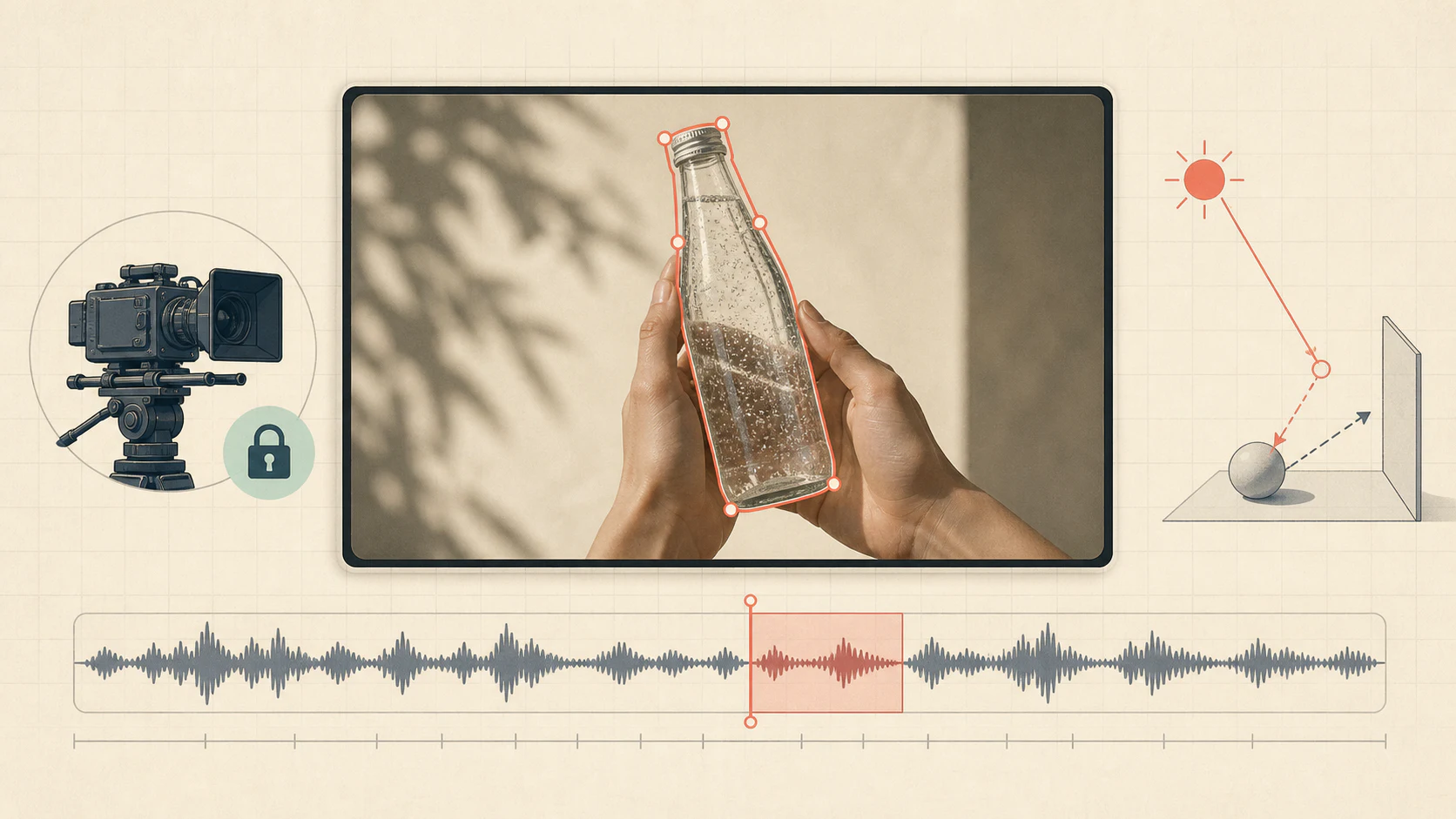
Workflow 5 — Replace a product and revise one spoken line
Use when: a short advertisement needs a new prop and a narrowly scoped line change.
Inputs: the source advertisement, an approved product reference, and the exact replacement line.
Template:
Video 1 controls the actor, camera, edit timing, location, wardrobe, hand path, and ambient sound. Image 1 controls the shape, cap, color, and label layout of a fictional sparkling-tea bottle. Replace only the can in the actor’s right hand with that bottle, matching grip, scale, reflections, motion blur, and occlusion. Replace only the sentence from 00:03.2–00:05.1 with: “The citrus finish is the part I remember.” Keep the same speaker character and delivery pace; preserve all other source audio. Do not alter the face, body, background, shot order, or music. No new label copy beyond the simple approved mark shown in Image 1.
Review: verify product geometry, finger contact, label stability, voice continuity, lip sync, and the exact edit in context. If either the prop or dialogue fails, test them separately before combining them.
Workflow 6 — Build a modular graphic title opener
Use when: you want a finished visual rhythm but will add exact names later in an editor.
Inputs: an art-direction image is optional; final names should not depend on generated text.
Template:
Create a 12-second 16:9 title opener inspired by mid-century transit diagrams. Flat cut-paper shapes, navy, warm white, vermilion, and moss green; overhead composition; restrained stop-motion jitter; no 3D rendering. 0–3s: ticket punches close in sequence and become a dotted route. 3–6s: the route threads through three station circles as paper arrows fold open. 6–9s: a timetable grid slides apart and reveals a train-window silhouette. 9–12s: the route resolves into one large empty title panel and holds for one second. Sound: dry paper taps, one mechanical bell, and a low brushed-percussion pulse. Keep all title panels blank; no names, logos, or pseudo-text.
Review: judge rhythm, transitions, palette, and the empty title-safe areas. Add exact credits in your editing software.
Group C: design a complete short-form package
When the deliverable is a teaser, PV, or mood film, the prompt needs global rules plus a shot timeline. Repeating the style in every shot can help, but the sequence still needs contrast.
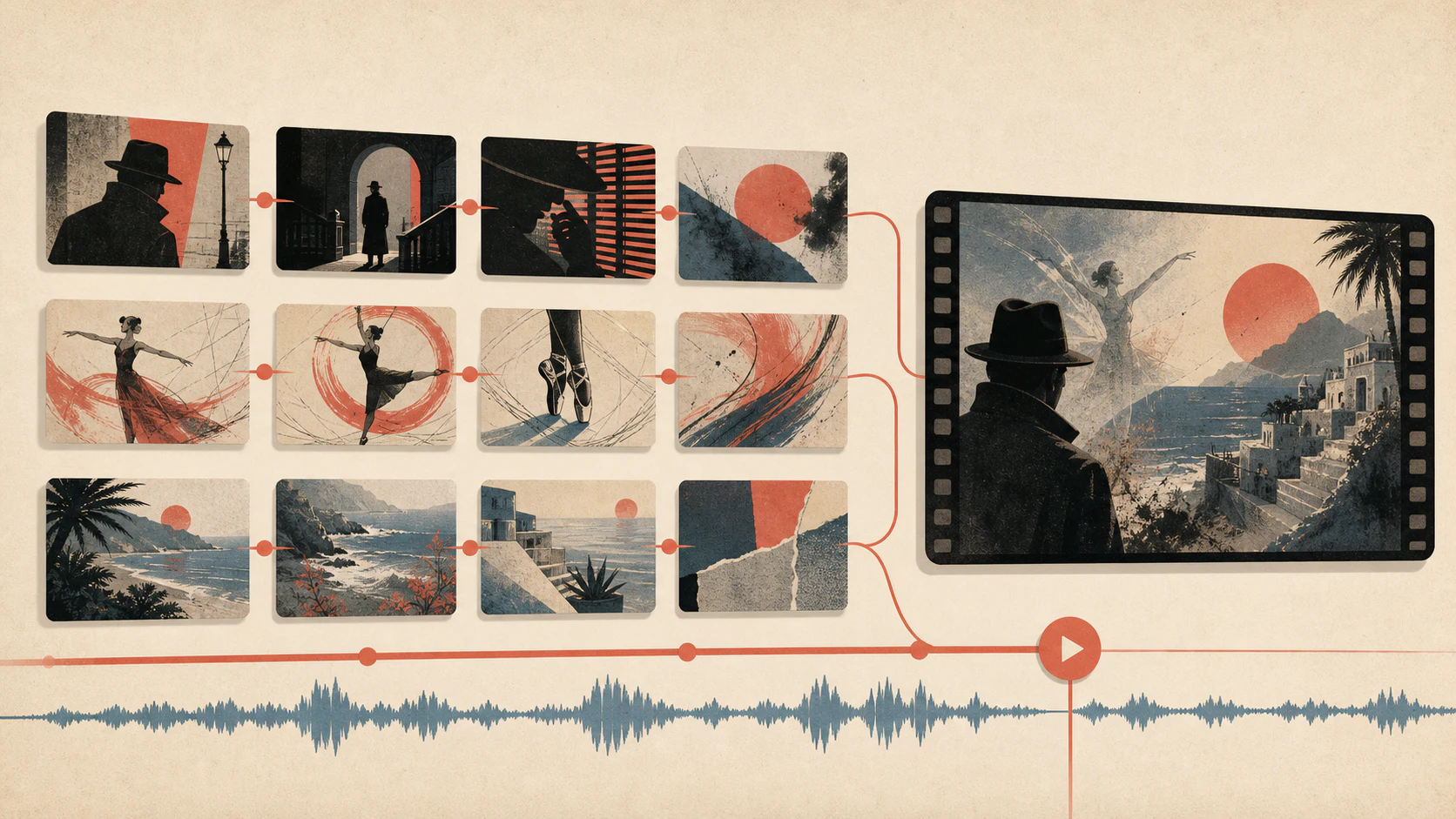
Workflow 7 — Cut a noir archive teaser
Use when: a trailer needs a graphic system, sound motif, and rising tension.
Template:
Create a 15-second noir archive teaser with 10 short shots. Global look: high-contrast black and warm monochrome; cobalt blue appears only as hand-drawn evidence marks; heavy 16mm grain; no readable generated text. Transitions reuse shapes: a blue circle becomes a clock face, a file edge becomes a corridor, and film burn becomes harbor fog. 0–4s: archive drawer, gloved hand, circled photograph. 4–8s: empty records room, swinging lamp, tape reel accelerating. 8–12s: rain-slick harbor stairs, a coat disappearing around a corner, a key falling in slow motion. 12–15s: a lone figure beneath a warehouse light; sound stops for the final half-second. Audio: muted cello pulse, paper pulls, reel clicks, distant foghorn. Reserve three clean areas for titles to be added later.
Review: check that blue remains the only accent, transitions share a visual object, and title-safe zones stay uncluttered.
Workflow 8 — Make a hand-drawn dance PV
Use when: movement, color, and beat matter more than photorealism.
Template:
Create a 15-second hand-drawn dance PV, 16:9, with a limited-animation feel. Character: one young adult dancer with short teal hair, an oversized cream jacket, black trousers, and red sneakers. Style: ink outlines, flat coral and cyan fills, visible registration wobble, and graphic backgrounds; no realistic rendering. Music: 132 BPM electronic pop with a clear downbeat. Build five movement phrases rather than many unrelated shots: entrance and shoulder bounce, two-step with hand wave, half-turn silhouette, quiet close-up during the break, and a final wide pose on the last beat. Use panel wipes and ink splashes only on strong beats. Do not generate lyrics, logos, or readable captions.
Review: verify character clothing and hair across phrases, action-to-beat alignment, readable silhouettes, and a holdable last pose.
Workflow 9 — Assemble an emotional memory montage
Use when: the piece should deliver one feeling through fragments rather than explain a full plot.
Template:
Create a 15-second coastal farewell montage with synchronized sound. Visual language: late-summer 35mm texture, pale cyan shadows, warm sun, wind-shaped grass, restrained lens flare. Two university-age friends appear mostly as backs, profiles, hands, or distant silhouettes; keep clothing consistent across shots. Use eight fragments: bicycle wheel on a seawall, two hands exchanging a folded map, ferry windows, shoes on wet steps, a scarf caught by wind, an unanswered wave, two figures at opposite ends of the pier, and an empty horizon. Connect shots with shared direction and matching light, not flashy effects. Audio: wind and ferry engine throughout, sparse piano after 5s, music leaves at 13s. No dialogue, generated captions, brand marks, or clear frontal face longer than half a second.
Review: look for one emotional arc, consistent screen direction, recurring objects, balanced sound, and an ending that can hold without explanation.
Use a test ladder instead of spending everything on one prompt
- Choose a diagnostic excerpt. Five to eight seconds should include the hardest face angle, hand contact, or effect onset.
- Test one change. Keep the rest of the prompt and settings stable.
- Review at normal speed and frame by frame. A plausible first impression can hide one-frame identity or label failures.
- Lock the edit logic. Only then increase duration, resolution, or the number of references.
- Finish deterministic details outside the model. Exact titles, legal copy, product claims, and frame-accurate audio edits belong in an editor.
Diagnose the first failed layer
| Problem | First change to try | Keep fixed |
|---|---|---|
| Face or wardrobe drifts | Reduce camera change and effect contact with the subject | Timing, room, audio |
| Product floats in the hand | Specify grip points, scale, occlusion, and motion blur | Actor and camera |
| New room looks pasted in | Define key-light direction and contact shadows | Performance and framing |
| Weather looks like an overlay | Give it an entry point, depth layers, and surface interaction | Source exposure |
| Montage feels random | Reuse one object, direction, or sound across transitions | Palette and duration |
| Generated words are wrong | Remove them and reserve clean title-safe space | Motion design |
| Audio feels crowded | Assign dialogue, effects, ambience, and music separately | Visual edit |
Change one layer per iteration. If you rewrite the whole prompt, you lose the evidence that tells you what fixed the shot.
Preflight before you generate
- You have permission to edit every uploaded face, voice, logo, product, and reference.
- Every input has one named role.
- The protection boundary is short and reviewable.
- The prompt asks for one primary transformation.
- Timed effects have an onset, peak, and settled ending.
- Source audio and generated audio have explicit roles.
- Exact typography is reserved for post-production.
- You know which five-second section to test first.
When the brief is ready, open the Wan 3.0 video generator, attach only the references with a clear job, and save the prompt beside the result. Use the AI video quality checklist before approving the final export.